


Client onboarding is one of the most important stages in any business relationship. One of the most crucial stages in any business deal is client onboarding. Trust is developed through a seamless experience of onboarding, enhanced communication, and facilitated client confidence on the first day. Nevertheless, most firms continue to use manual follow-ups, spreadsheets, and vulnerable emails that are a waste of time.
The development of a structured workflow will help to eliminate repetitive work and enhance consistency. A properly developed ClickUp client onboarding system enables companies to automate operations, systematise data, and monitor progress without being under strict control.
Start With a Clear Onboarding Workflow
Determine all the steps that your client will undertake once he has signed a contract before you start automation. The onboarding process ought to be strong and entail:
- Welcome communication
- Intake forms
- Document collection
- Internal task assignments
- Kickoff meeting scheduling
- Progress tracking
- Final onboarding approval
The ClickUp dashboards aid in developing a foreseeable journey for a client. It also mitigates tardy deadlines and misunderstandings among people.
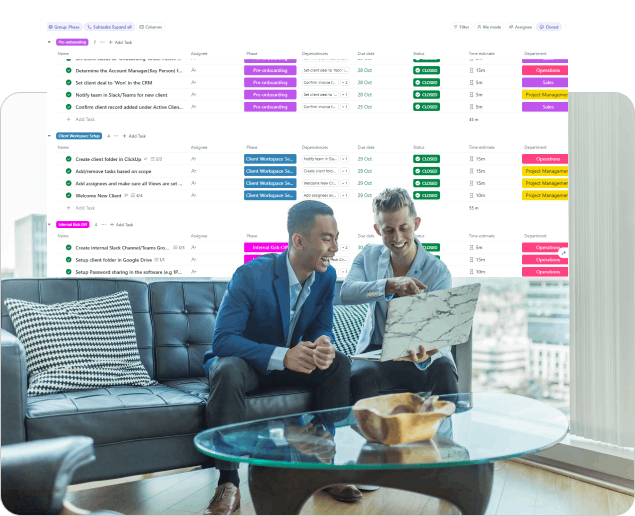
Organise Tasks Into Structured Spaces
The second step is establishing specific spaces and folders to work with onboarding activities. Proper arrangement is needed when organising work to make it easier to scale an operation as new clients come in.
Valuable organisational concepts are:
- Folder per client
- Repeat activity task templates
- Urgent onboarding actions priority labels
- Progress custom statuses
Numerous agencies also use ClickUp dashboards to track the onboarding process and easily detect the bottlenecks.
Automate Repetitive Actions
The secret to developing a self-running system of onboarding is automation. Automation notifies about the tasks or sends notifications instead of doing this manually, and implies that the work is assigned automatically.
Examples of the automations in onboarding include:
- Delegating the tasks upon contract signing
- Sending a message on the approach to deadlines
- Creating subtasks automatically
- Changing statuses when forms are completed
- Triggering welcome emails
Companies that partner with a ClickUp Verified Expert can easily discover levels of automation they had not previously considered.
Create Centralised Client Communication
The onboarding can be spoiled by poor communication. Maintaining meetings within the confines of a single platform enhances clarity and interaction.
Such beneficial communication characteristics are:
- Shared client portals
- Comment on tasks to update
- Attachments to files within tasks
- Project-related meeting notes
- Automated client notifications
With everything kept centralised, clients can get updates promptly without having to wade through oceans of email. A strong ClickUp client onboarding system also helps teams address client concerns more quickly and be professional in the process.
Use Dashboards for Real-Time Visibility
Onboarding performance is crucial in making long-term improvement. Managers demand real-time insight into the progression of projects and outstanding approvals, as well as group workloads.
This is where ClickUp dashboards prove to be very useful.
Dashboards can display:
- Task completion percentages
- Team productivity metrics
- Upcoming deadlines
- Client onboarding timelines
- Overdue activities
Real-time reporting assists businesses in spotting delays even before they become significant problems. It also gives the leadership a greater insight into operations. Organisations that invest in streamlined reporting can become more efficient in various sectors.
Build Standardised Client Templates
There must be uniform guidelines in every onboarding process. Templates save time in setting up, and quality is also ensured on all client accounts.
Viable template elements are:
- Welcome task lists
- Discovery questionnaires
- Project kickoff checklists
- Approval workflows
- Internal handoff procedures
Standardisation even gains more with increasing business. Teams have the capacity to bring on board several clients at a time without confusion. Collaborating with a ClickUp Verified Expert can assist businesses in developing scalable templates that suit industry needs.
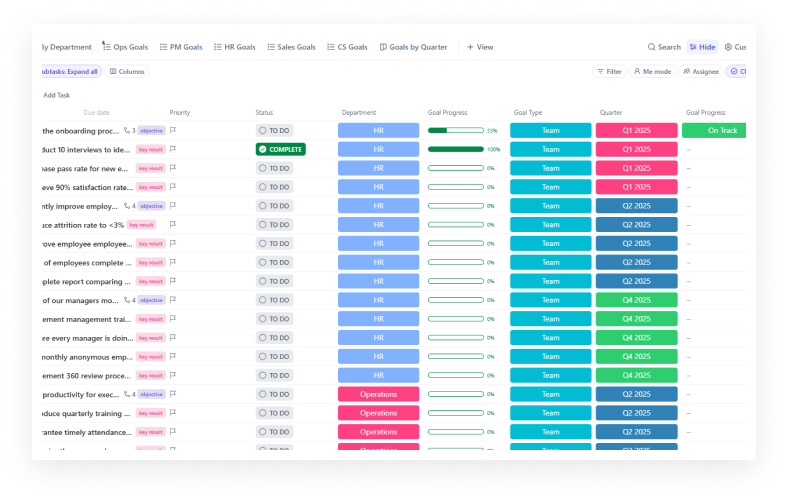
Improve Collaboration Between Departments
Client onboarding processes typically require various departments, such as sales, operations, marketing, and customer success departments. No coordination ensures work can easily fall through the cracks without proper coordination.
With a centralised system, collaboration is enhanced by:
- Clarifying responsibilities
- Reducing duplicate work
- Improving accountability
- Simplifying approvals
- Having the updates in view of all
A knowledgeable ClickUp consultant would also assist in streamlining cross-functional processes to deliver more rapidly.
Continuously Refine the Process
There should be no onboarding system that is forever. Periodic analysis and overhaul of workflows will ensure businesses are performing optimally and increasing customer satisfaction in the long run.
Some of the optimisation steps of significance include:
- Gathering client feedback
- Looking at the onboarding time of completion
- Identifying repeated bottlenecks
- Updating outdated templates
- Expanding automation rules
A well-tuned ClickUp onboarding system can ultimately work with little human intervention, and it will continue to provide clients with an outstanding experience.
Conclusion
The development of an automated ClickUp onboarding system will enable the company to save time, avoid errors, and enhance customer satisfaction. Companies can build scalable systems that help them grow in the long term with proper automation, structured templates, and intelligent reporting.
Businesses looking to streamline operations can benefit greatly from the expertise and implementation support provided by IT Visionists. Contact us today to transform your onboarding experience with a smarter onboarding system!
FAQs
What is the way onboarding automation enhance client experience?
Automation provides clients with better responses sooner, structure, predictability, and fewer delays when starting a project.
How can dashboards help in the onboarding process?
Dashboards are the ones that can offer immediate insight into deadlines, workloads, onboarding stages, and pending approvals to gain better control of operations.
Can small businesses find onboarding workflow experts?
When businesses expand, automation helps experts simplify the setup, enhance workflow efficiency, and minimise costly implementation errors.