



Several firms adopt ClickUp with good intentions. They end up using a fraction of what the platform offers. Spaces get created without structural planning, automations sit untouched, and teams drift back to email and spreadsheets within months. A ClickUp implementation consultant changes that pattern entirely: instead of a platform bolted onto existing chaos, ClickUp becomes the system that operations, client work, and reporting actually run through.
But only if implementation is handled properly from the start.
What Changes When Implementation Is Done Properly
A structured rollout gives every team a shared system for tasks, deadlines, and client work, replacing scattered tools with a single source of truth. The gap between “using ClickUp” and “running your business through ClickUp” is wider than most firms realise.
The UK Business Data Survey found that among businesses using AI-enabled tools in the last year, only 60% reported genuine integration into existing workflows. The remaining 40% had tools sitting alongside their operations rather than embedded within them. That same pattern plays out with ClickUp: firms adopt it, but without proper implementation, the platform never reaches the point where it transforms daily work.
The difference becomes visible quickly once implementation is done right:
- Fewer missed deadlines, because automations enforce due dates and handoffs rather than relying on memory
- Clearer project visibility, because Dashboards pull live data from tasks rather than depending on manual status updates
- Less tool-switching, because Chat, Docs, time tracking, and reporting all live in the same workspace
- Faster onboarding, because new starters follow templated processes rather than learning by osmosis
Businesses that get this right see the platform pay for itself in months, not years.
Building an Operating System, Not Just a Task List
Here’s where proper implementation turns ClickUp from a task list into an operating system for daily work.
Working With a Registered ClickUp Partner
ClickUp’s partner ecosystem includes Registered Partners: practitioners with demonstrated expertise across real implementations, access to partner-only support channels, and accountability built into every engagement.
What Registered Partner status means for your rollout:
- Proven implementation methods across firms of similar size and complexity, not theoretical knowledge
- Direct access to ClickUp’s partner support team for edge-case configuration questions
- Accountability built into the engagement, with structured delivery milestones
- Implementation follows a tested framework rather than trial and error at your expense
Working with a Registered ClickUp Partner in the UK removes the risk of expensive rebuilds six months later, because the structure is right from day one. Based in Bedfordshire, see how we work with local businesses.
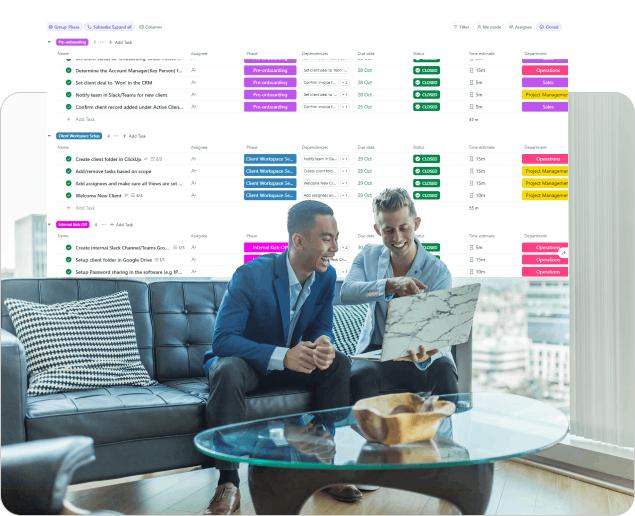
Structuring Operations Around How Teams Actually Work
Generic templates rarely align with real operations. They leave teams battling unfamiliar structures, and adoption stalls because people can’t find their work.
Expert implementation starts by mapping existing workflows before anything is built on the platform:
- Spaces mapped to departments or clients: each team gets a workspace area that mirrors how they already think about their work
- Folders and Lists structured around real processes: project phases, service delivery stages, or client engagement types rather than arbitrary categories
- Custom Fields matched to reporting needs: billable/non-billable flags, client type dropdowns, engagement value fields, all set at the correct hierarchy level so they cascade without duplication
- Views tailored to each role: account managers see client-grouped boards, delivery teams see timeline views, leadership sees Dashboard summaries
This groundwork means teams recognise their own processes inside ClickUp rather than fighting an unfamiliar structure. It’s also why adoption rates are dramatically higher with consultant-led setups: the system reflects reality on day one.
Automating the Repetitive Parts of Daily Work
Once structure is in place, automation removes the manual admin that eats into billable hours. The strongest starting points:
- Status-triggered reassignment: when a task moves to “Ready for Review,” it automatically routes to the reviewer with a 2-day due date
- Recurring task generation: weekly check-ins, monthly reports, and quarterly reviews create themselves without anyone remembering to set them up
- Assignment rules by type: new client requests route to the right team based on Custom Field values (client tier, service type, region)
- Overdue escalation: tasks that pass their due date trigger notifications to both the assignee and their manager, with automatic priority elevation
In 2026, ClickUp also supports Super Agents: no-code AI teammates that monitor patterns across your workspace. A Super Agent can watch hours logged against budget across all active projects and flag scope creep before it becomes a write-off. Another can draft weekly client update emails based on completed tasks. These are live features that a Registered ClickUp Partner can configure during implementation.
Teams typically notice the time savings within the first two weeks after automation goes live.
Supporting Professional Services Specifically
Professional service firms face pressures that generic templates ignore: billable hours, shifting scopes, client deliverables with hard deadlines, and the need to prove profitability per engagement.
A ClickUp implementation built for professional services handles this directly:
- Native time tracking tied to tasks and projects: every hour logged is automatically associated with the correct client and engagement
- Budget visibility through Custom Fields and Rollups: budgeted hours vs actual hours visible at project, client, and portfolio level without spreadsheet exports
- Client work separated from internal operations: distinct Spaces with different permissions, statuses, and automations for billable vs non-billable work
- Reporting built for client reviews: Dashboard views that can be shared or exported showing deliverable progress, hours spent, and upcoming milestones
Brain2 (ClickUp’s 2026 AI layer) adds another dimension: it can pull context from every task, comment, and doc in a client Space to generate status summaries, flag risks, or answer questions like “how many hours are left on the Smith & Co retainer?” without anyone building a report manually.

Measuring Impact After Rollout
Implementation doesn’t stop at launch. The firms benefiting most review performance data regularly and refine the system as operations evolve:
- Dashboards tracking operational metrics: task completion rates, average time-to-close, automation execution counts, overdue percentages by team
- Quarterly automation audits: are the rules still matching how work actually flows, or has the process drifted?
- Team feedback loops: structured check-ins to identify friction points before they cause workarounds
- Workspace evolution: new Custom Fields, Views, or Super Agents added as the business grows or service lines change
Consistent reviews keep the system aligned with how the business operates months and years after the initial rollout.
Turning Implementation Into Long-Term Results
A strong implementation is only the starting point. The real value compounds over the months that follow as teams build muscle memory, automations accumulate time savings, and reporting surfaces patterns that were previously invisible.
IT Visionists is a Registered ClickUp Partner working with professional services firms, consultancies, and agencies across the UK. Every engagement follows the Efficiency Triangle (People and Adoption, Process and Workflow, Tools and Automation), and support continues well beyond go-live: refining workspaces, adding Super Agents, and evolving Dashboards as teams and workloads grow.
Get in touch to discuss what a properly scoped ClickUp implementation would look like for your business.
Frequently Asked Questions
How long does a full ClickUp implementation typically take?
Most implementations run between two and six weeks, depending on team size, number of service lines, existing processes, and migration complexity. Smaller firms (under 15 people) with straightforward workflows often reach full adoption within two to three weeks. Larger firms with multiple departments or complex reporting needs typically need four to six.
What does working with a Registered ClickUp Partner actually add?
Partner status confirms proven implementation expertise across real rollouts, not just product knowledge. It means access to ClickUp’s partner support channels for complex configuration questions, tested frameworks for structure and automation, and accountability for the outcome. The practical difference: your workspace is structured correctly the first time rather than rebuilt three months later.
Is ClickUp implementation different for professional services firms?
Yes. Billable hours need tracking against budgets at project, client, and portfolio level. Client deliverables need templated workflows with relative due dates. Scope changes need visibility before they erode profitability. And reporting needs to serve both internal leadership and client-facing reviews. Generic implementations miss all of this, which is why professional services firms often see the highest ROI from consultant-led setups.
What if we’ve already started using ClickUp but it’s not working?
This is the most common scenario. A workspace audit identifies structural problems (wrong hierarchy levels, missing Custom Fields, automations that never got built) and a remediation plan gets the system to where it should have been from day one. It’s faster than starting from scratch because the team already has basic platform familiarity.