

ClickUp Services
ClickUp Systems Your Team Will Actually Use
We design and build ClickUp implementations for growing businesses with complex workflows, end-to-end implementation from workflow mapping and workspace build through automations, integrations training and rollout.

Trusted by 200+ Businesses


Who We Work With
ClickUp is powerful but it is not the right fit for every business. We work with growing businesses that have complex workflows, multiple moving parts and teams who need better visibility across how work moves from one stage to the next.
Some are moving on from spreadsheets and disconnected tools. Others are already using ClickUp, Asana, monday.com, Airtable or Notion but the setup no longer fits the way the business actually runs. In both cases, the problem is the same: work is happening but the system around it is not supporting it well enough.
Some of the teams we work best with include:
- Professional services firms and consultancies: work delivered by teams with multiple roles, deadlines and overlapping projects
- Education and training organisations: delivery cycles involving schools, funders, stakeholders and reporting requirements
- Agencies and creative studios: client work with handoffs between sales, delivery, feedback, and approval
- Non-profits with delivery cycles: programme work, case management, funded projects, and mixed reporting needs
- Operations-heavy SMEs: multiple service lines, recurring processes, and coordination across in-house and contractor teams
Based in Bedfordshire, UK serving clients globally. See how we work with local businesses.
When ClickUp is the right answer
Every team we work with arrives in a similar place. Things were working until they weren’t. The system that handled five clients can’t handle fifty. The spreadsheet that tracked three projects breaks at thirty. Your team is busy but the work feels harder than it should.
If two or more of these are true, it’s probably time:
- Tasks live in three places: ClickUp, Slack, email, spreadsheets and nobody knows which is the source of truth.
- Handoffs between people or stages get lost in DMs and chase-ups.
- Reporting takes hours and the numbers still don’t match.
- Your team uses ClickUp for some things but defaults to spreadsheets and inboxes for the work that matters.
- You’ve tried to fix it yourself twice and the structure keeps unravelling.
- New hires take weeks to figure out where things live and how the team actually operates.
ClickUp can solve all of this. But only if it’s designed for how your team actually works, not configured the way the spreadsheet used to be.
What We Build

Workflow Design
The way work moves through your business, sales-to-delivery handoffs, project lifecycles, client onboarding, approvals, recurring operations. We map this before anything is built, so the structure reflects real processes rather than wishful org charts.
.

Workspace Architecture
The structural foundation including Spaces, Folders, Lists, custom fields, statuses, views, templates and permissions. This is where most ClickUp setups go wrong because it’s done as a translation of the old spreadsheet rather than a redesign for how the work flows now.

Automations & Integrations
Practical automation that removes manual chase-up and connections to the rest of your stack: Google Workspace, Slack, HubSpot, QuickBooks/Xero, and others, so information flows in one direction and stops being re-entered. Built through native integrations, Make or Zapier depending on what the workflow needs.

Dashboard & Reporting
Views and dashboards built for the people who actually use them. Leadership reporting that answers strategic questions. Team dashboards that show what’s stuck and where. Client-facing portals that share the right information without exposing internal mess.

Team Rollout & Adoption
The most-skipped step in most ClickUp implementations. Documentation, training sessions, admin handover and a structured rollout that gets people using the system instead of working around it. We treat adoption as the deliverable, not an afterthought.

Ongoing Support
Optional retainer-style support after handover for refinement, troubleshooting, new automations or expansion as the business grows. Not required – many clients run independently after handover. Available when it’s the right call.

What used to take us hours is now a matter of minutes!
Project Manager
Quantifire
Our 4-Step Solution
The Old Way

Our Way

1. Assessment
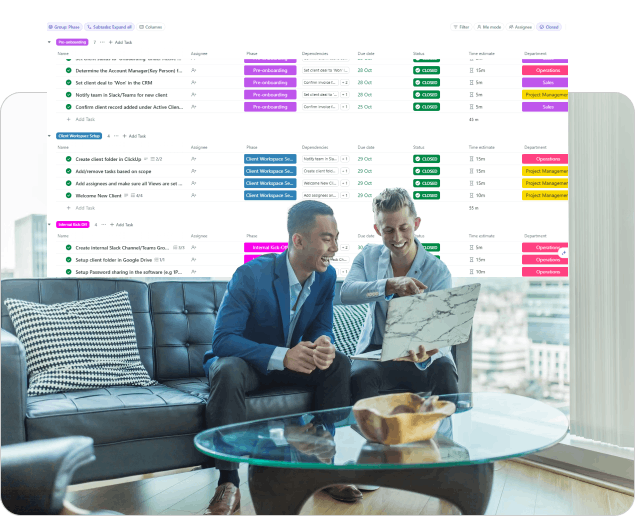
Our Clickup consultants gather your requirements and assess your objectives before tailoring your solution.
Assessment
Discovery
We learn everything about your current processes and objectives
Comprehensive Audit
We analyse your existing systems to identify improvement opportunities
Requirements
We liaise with your departments and teams to consider their specific needs and goads
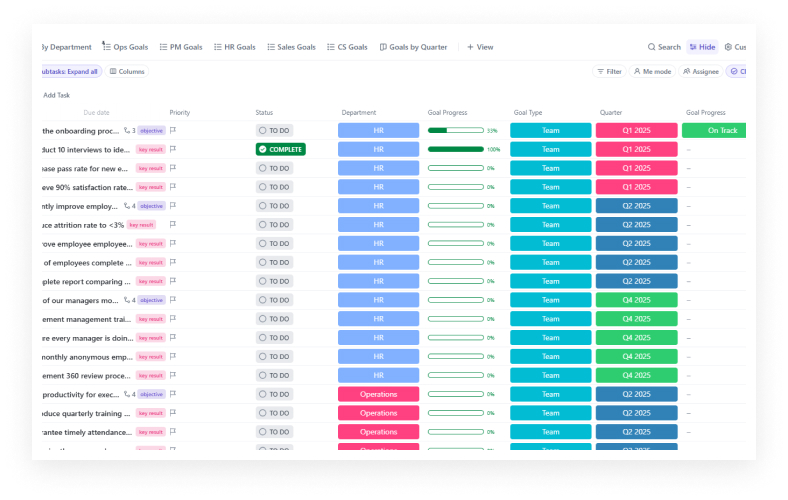
Goal Setting
We establish, clear, measurable objectives for your ClickUp implementation
Strategy Development
We create for you a tailored implementation roadmap
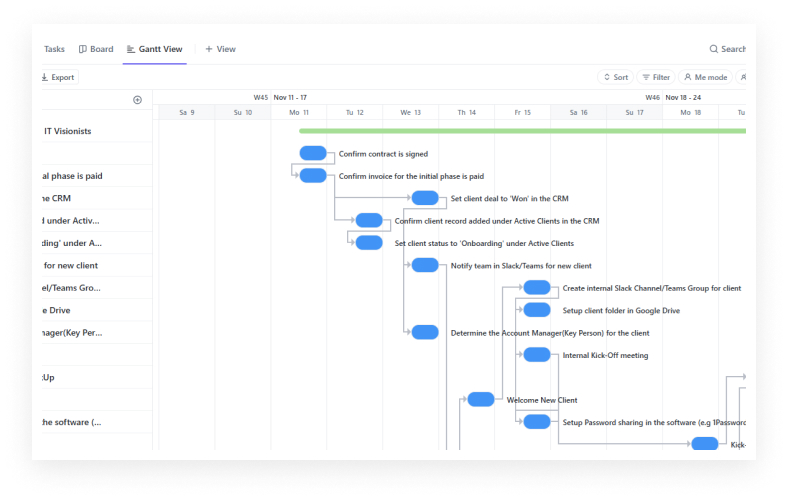
Workflow Design
We produce a structured workflow for your implementation
2. Implementation
We create your customised ClickUp environment with automated workflows, smart notifications, time saving triggers and much more.
Implementation
Workspace Setup
Step-by-step configuration of your customised ClickUp environment
Advanced Automation Implementation
- Creation of automated workflows
- Setup of smart notifications
- Configuration of recurring tasks
- Implementation of time-saving triggers
3. Integration
Sit back as we implement a seamless connection with your existing tools before merging your data.
Integration
Integration Deployment
Integration with your existing tools and apps
Data Migration
Careful transfer of existing data to your new ClickUp structure
Quality Assurance
- Rigorous testing of all workflows
- Verification of automation rules
- Validation of integrations
- Performance optimization
- User acceptance testing
4. Support
Our specialists equip your admins and users with the skills and knowledge for easy operation of your ClickUp workspace.
Support
Comprehensive Team Training
- Role-specific training sessions
- Hands-on workflow practice
- Best practices guidance
Admin Empowerment
In-depth training for ClickUp workspace administrators
Change Management Support
- Progress monitoring
- User adoption strategies
- Team engagement planning
Documentation & Resources
- Custom training materials
- Video tutorials
Ongoing Support
- Priority technical support
- Regular check-in meetings
- Performance monitoring
- Continuous optimisation
Why Clients Choose IT Visionists?
Our Success Stories
“I’ve worked with Hina for years now with everything ClickUp. She is an absolute gem and is truly the best. She has an unbelievable amount of knowledge and knows how to execute. She has built, customized, and supported on dozens of our ClickUp spaces. So if you’re in the market to have someone make anything related to ClickUp, definitely hire Hina.”
Max Fata
Founder of Celeb Talk Guy.
“From the outset, Hina listened carefully, understood the issues we faced, and gave confidence that our challenges could be solved. The team helped us design and implement a sales and delivery tracking system that not only works but has already had a tangible impact. Our sales process is now far easier to manage, schools are engaging more effectively, and service leaders are able to allocate and monitor delivery in real time. This has created transparency; ensured schools receive what they have purchased; and enabled the Executive Team to keep a close eye on equity and capacity across the organisation.”
Lee Boyce
CEO of BDSIP
“We were struck by Hina’s expertise and wide-ranging knowledge of project management systems. Hina was so kind and thoughtful and set up an amazing project management system that exceeded our expectations. The time we have saved putting Hina’s systems into place has had such a positive impact on our business.”
Hannah Palin
Director of Learning, Well Known
What We Don't Do
Specialism cuts both ways. To be good at one thing, we say no to a lot of others. Up front:
- We don’t sell productivity coaching or “ways of working” consulting that doesn’t end with a built system. Strategy without delivery is a different service.
- We don’t do unlimited revisions or open-ended retainers without scope. Engagements have a defined end; retainers have a defined remit.
- We don’t deploy generic templates. Every workspace is built from the workflows we map, not adapted from a previous client’s setup.
- We don’t recommend ClickUp when it isn’t the right tool. If your business is better served by Asana, Notion, Monday.com, or a dedicated CRM, we’ll tell you that on the discovery call.
- We don’t take on personal-productivity work, e-commerce operations or product-team backlogs. The patterns are different and we’d be the wrong choice.
If any of this is a deal-breaker, that’s useful to know early. The discovery call is the right place to find out.
Frequently Asked Question
Most implementations take between 6 to 12 weeks depending on complexity. A straightforward project management setup for a small team might complete in a month, while a full operational overhaul for a larger organisation takes longer. We’ll give you a realistic timeline after our discovery call.
This is actually the most common situation we encounter. We’ll audit your current setup, identify why adoption failed and either optimise your existing platform or recommend a migration if the tool genuinely doesn’t fit your needs.
Yes, training is central to every engagement. We conduct hands on workshops, create custom documentation for your specific setup, and provide ongoing support until your team is confident working independently.
Absolutely. We regularly integrate project management platforms with CRMs, accounting software, communication tools, and other business systems. Automation between tools is often where the biggest time savings occur.
Results vary by business, but clients typically see meaningful returns within the first three to six months. Common improvements include 30 to 50 percent reduction in time spent on manual coordination, improved project completion rates and significantly better team visibility.
Yes. We offer continued support arrangements for businesses that want regular optimisation, help with new workflows as they evolve, or simply a reliable partner to call when questions arise.
Yes, where practical. Common migrations are from Asana, Trello, monday.com, Notion, Smartsheet, Airtable and spreadsheets. Some data migrates cleanly; some is better rebuilt. We assess this in discovery.
We’re based in the UK and work across UK and North American time zones. Most current clients are in the US. Engagements are remote-first. In-person visits and trainings available for Bedfordshire and London clients (where commutable and agreed in advance).
Ready to Streamline About your ClickUp Setup?
Our ClickUp Consultants Are Available Now
Whether you’re starting fresh, fixing a setup that didn’t stick or migrating from another tool, let’s see if we’re the right fit.
The discovery call is 30 minutes, free and there’s no pitch. We’ll talk about your business, what you’ve tried and what you actually need. If we’re not the right team for it, we’ll tell you that and where possible, point you toward someone who is.